01
Keep sessions together
Open the whole practice as one session and move through every rep in order.
Upload your videos. Reps are auto-generated. Annotate specific frames via drawing tools or voice notes. Organize individual training, practice and game reps all in one place.
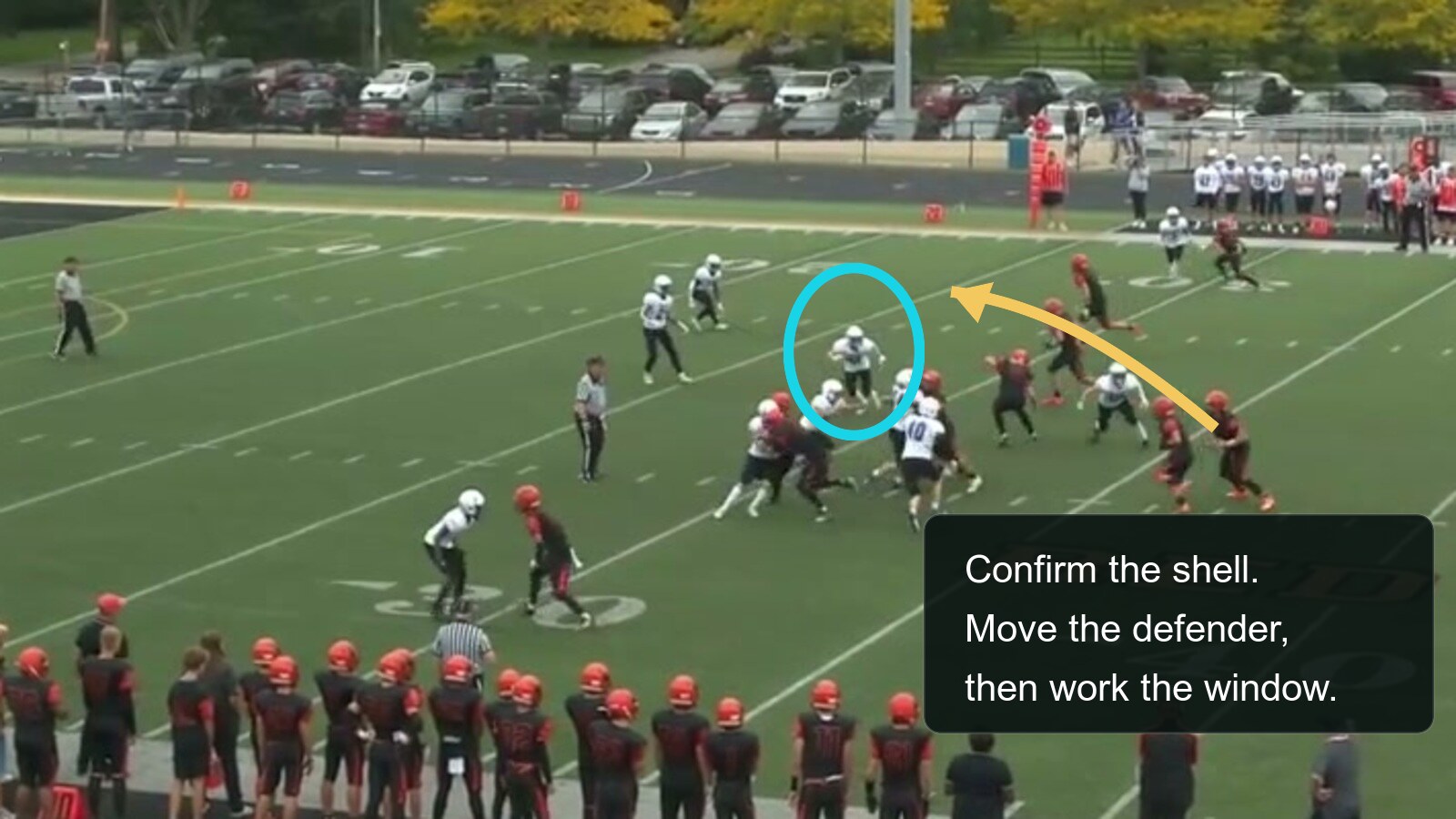
A cyan circle identifies a uniformed coverage defender and a gold arrow shows the quarterback's read into the open window. Coaching note: “Confirm the shell. Move the defender, then work the window.”
How it works
Bring individual cutups from private trainers, your team practice and game film. Your entire room operates off of one place where everything's organized.
Upload every clip from practice at once. QB Room lets you organize them, including your notes.
Slow down, leave notes, and make sure your QBs get the most from every rep.
Bring your own materials (playbooks/sheets, read guides, position manuals) so your QBs have it in one place.
Share reps and sessions quickly and easily. Recipients get a link with configurable access (view, comment).
What's in the room
The film stays in order. Notes, drawings, and assignments stay on the rep, so coach and quarterback see the same work.
Open the whole practice as one session and move through every rep in order.
Step frame by frame, change the speed, and draw on the exact moment you want to coach.
Leave a written note or record an audio note when saying the coaching point is faster.
Select the day’s clips together, watch each upload, and retry only the files that need it.
Keep a session private or share it with the quarterback, coach, or room that needs it.
Assign learning beside the film so players can connect the rep to the concept you are teaching.
Plans
Start with the room that fits how you review film today.
A private film room for a quarterback who wants every rep and correction in one place.
A coaching desk for reviewing quarterbacks, delivering feedback, and assigning the next work.
A private collaboration space for a program that develops quarterbacks together.
Billing is monthly during launch. Storage and setup are confirmed before activation.
Let's talk
How many quarterbacks are involved? Who uploads the film? Where does feedback get lost? Send us the basics and we'll tell you whether QB Room fits.